
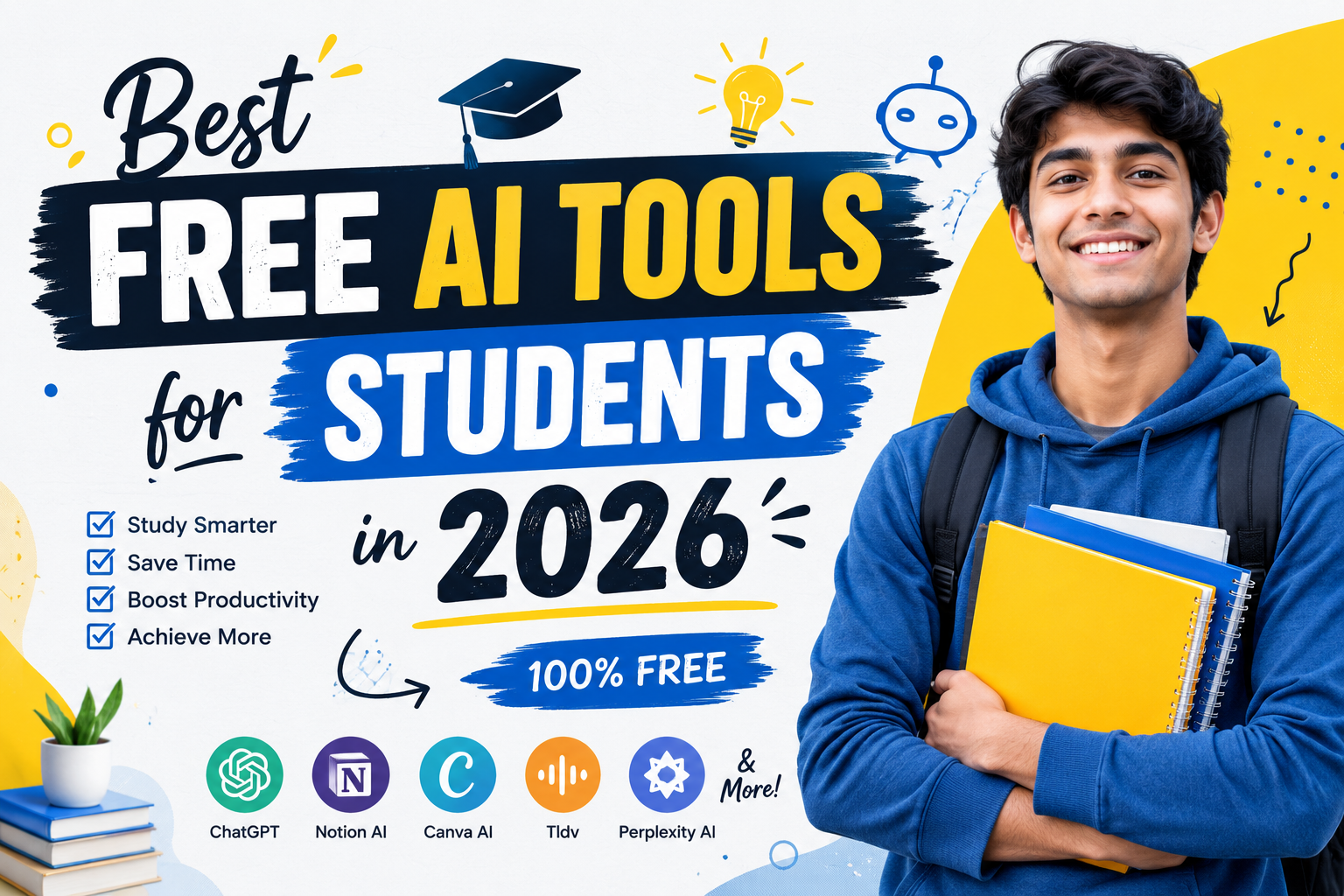
Free AI Tools for Students
Artificial Intelligence is no longer a technology that belongs only to large companies and software engineers. Today, students around the world use AI tools to study smarter, save time, improve productivity, and learn new skills faster.
Whether you are a school student, college student, university learner, or preparing for competitive exams, AI can help you complete tasks more efficiently. From writing assignments and taking notes to conducting research and creating presentations, AI tools are changing the way students learn.
However, many students face one common problem. There are hundreds of AI tools available online, and choosing the right one can be confusing. Some tools are expensive. Others are difficult to use. Many students simply want free AI tools that are reliable and easy to understand.
This guide covers the best free AI tools for students in 2026. You will learn what each tool does, its advantages, limitations, and the best ways to use it for academic success.
What Are AI Tools for Students?
AI tools are software applications powered by artificial intelligence. These tools can understand language, analyze information, generate content, answer questions, and automate repetitive tasks.
Students use AI tools for many purposes, including:
- Research assistance
- Homework help
- Assignment writing
- Note-taking
- Presentation creation
- Language learning
- Grammar correction
- Exam preparation
- Productivity improvement
- Study planning
The biggest advantage of AI is that it can reduce the time spent on routine work. This allows students to focus more on understanding concepts and developing skills.
Why Are AI Tools Becoming Popular Among Students?
The education landscape has changed significantly in recent years.
Students are expected to manage multiple assignments, projects, presentations, and exams simultaneously. At the same time, information is growing faster than ever before.
AI helps students handle these challenges more effectively.
Some major reasons behind the popularity of AI tools include:
Faster Learning
Students can receive explanations instantly instead of spending hours searching through multiple websites.
Better Productivity
Many AI tools automate repetitive work such as formatting, summarizing, and proofreading.
Improved Writing Quality
AI writing assistants can identify grammar mistakes, spelling errors, and readability issues.
Easier Research
Research tools can quickly gather information from multiple sources and present concise summaries.
Personalized Learning
AI tools adapt to different learning styles and help students learn at their own pace.
Benefits of Using AI Tools for Students
Before exploring individual tools, it is important to understand the practical benefits AI offers.
Saves Time
Time is one of the most valuable resources for students.
Instead of spending hours searching for information, AI can provide quick answers and summaries.
This helps students complete assignments more efficiently.
Improves Academic Writing
Many students struggle with writing essays, reports, and research papers.
AI tools can help improve sentence structure, grammar, clarity, and readability.
However, students should always review and edit AI-generated content before submission.
Enhances Understanding
AI tools can explain difficult topics in simple language.
This makes learning easier, especially when studying complex subjects.
Supports Independent Learning
Students no longer need to wait for classroom instruction to learn new topics.
AI tools provide immediate assistance whenever needed.
Reduces Stress
Managing multiple deadlines can be stressful.
AI productivity tools help students stay organized and focused.
Best Free AI Tools for Students in 2026
The following tools are among the most useful and widely used AI solutions for students.
1. ChatGPT
What Is ChatGPT?
ChatGPT is an AI assistant that can answer questions, explain concepts, generate ideas, and assist with writing tasks.
It is one of the most popular AI tools available today.
How Students Can Use ChatGPT
Students can use ChatGPT for:
- Homework assistance
- Essay outlines
- Research support
- Study notes
- Exam preparation
- Brainstorming ideas
- Language learning
Advantages
- Easy to use
- Supports multiple subjects
- Available 24/7
- Excellent for explanations
- Helpful for brainstorming
Limitations
- Can occasionally provide inaccurate information
- Requires fact-checking
- Should not be used to replace genuine learning
Best Use Case
ChatGPT is ideal for understanding concepts and generating study materials.
2. Google Gemini
What Is Gemini?
Google Gemini is Google’s AI assistant designed to help users search, learn, and complete tasks more efficiently.
It combines Google’s search capabilities with advanced AI technology.
How Students Can Use Gemini
Students can use Gemini for:
- Research assistance
- Information gathering
- Study planning
- Assignment preparation
- Topic explanations
Advantages
- Strong integration with Google services
- Access to recent information
- User-friendly interface
- Fast responses
Limitations
- Some advanced features may require premium access
- Information should still be verified
Best Use Case
Gemini is particularly useful for research-related tasks.
3. Claude
What Is Claude?
Claude is an AI assistant known for producing thoughtful and detailed responses.
Many students prefer Claude when working on long-form writing projects.
How Students Can Use Claude
Students can use Claude for:
- Essay writing assistance
- Research summaries
- Study guides
- Academic discussions
- Content organization
Advantages
- Detailed responses
- Strong reasoning abilities
- Good for long documents
- Clear explanations
Limitations
- Availability varies by region
- Premium plans unlock additional features
Best Use Case
Claude works well for deeper academic analysis and structured writing.
4. Grammarly
What Is Grammarly?
Grammarly is an AI-powered writing assistant that helps students improve grammar, spelling, punctuation, and readability.
How Students Can Use Grammarly
Students can use Grammarly to:
- Proofread assignments
- Improve essays
- Correct grammar mistakes
- Enhance readability
- Write professional emails
Advantages
- Real-time suggestions
- Easy integration with browsers
- Improves writing quality
- User-friendly dashboard
Limitations
- Free version has limited features
- Style suggestions may require manual review
Best Use Case
Grammarly is essential for students who regularly write assignments and reports.
5. Perplexity AI
What Is Perplexity AI?
Perplexity AI is a research-focused AI search engine that provides answers along with source references.
This makes it particularly useful for academic work.
How Students Can Use Perplexity AI
- Research projects
- Fact-checking
- Topic exploration
- Source discovery
- Literature review preparation
Advantages
- Provides sources
- Fast research assistance
- Accurate summaries
- Easy navigation
Limitations
- Source quality should always be checked
- Some advanced features are paid
Best Use Case
Perplexity AI is excellent for students conducting research.
6. Notion AI
What Is Notion AI?
Notion AI combines note-taking, organization, and artificial intelligence into a single productivity platform.
Students can manage assignments, schedules, projects, and study materials in one place.
How Students Can Use Notion AI
- Organize notes
- Create study plans
- Track assignments
- Generate summaries
- Manage projects
Advantages
- Excellent organization features
- Improves productivity
- Simple interface
- Useful templates
Limitations
- Learning curve for beginners
- Advanced features may require payment
Best Use Case
Notion AI is ideal for students who want a centralized study system.
7. Canva AI
What Is Canva AI?
Canva AI is an AI-powered design platform that helps students create presentations, posters, infographics, social media graphics, and educational materials without advanced design skills.
Many students struggle with creating visually appealing presentations. Canva AI simplifies this process by generating layouts, designs, and content suggestions automatically.
How Students Can Use Canva AI
Students can use Canva AI to:
- Create class presentations
- Design project reports
- Build educational posters
- Make infographics
- Create study materials
- Design resumes
Advantages
- Easy-to-use interface
- Large template library
- Free plan available
- AI-powered design suggestions
- Saves significant time
Limitations
- Some premium templates require payment
- AI-generated designs may need customization
Best Use Case
Canva AI is perfect for students who need professional-looking presentations and visual projects.
8. Microsoft Copilot
What Is Microsoft Copilot?
Microsoft Copilot is an AI assistant integrated into Microsoft’s ecosystem.
It helps students work more efficiently inside Word, Excel, PowerPoint, and other Microsoft applications.
How Students Can Use Microsoft Copilot
Students can use Copilot for:
- Writing assignments
- Creating presentations
- Summarizing documents
- Organizing information
- Data analysis
Advantages
- Works with Microsoft Office tools
- Improves productivity
- Saves time
- Easy to use
Limitations
- Some features require subscription access
- Results should always be reviewed
Best Use Case
Students already using Microsoft Office can benefit greatly from Copilot.
9. QuillBot
What Is QuillBot?
QuillBot is an AI writing tool that helps students rewrite content, improve sentence structure, and enhance clarity.
It is one of the most popular tools among students and content writers.
How Students Can Use QuillBot
Students can use QuillBot for:
- Paraphrasing text
- Improving essays
- Simplifying difficult sentences
- Grammar checking
- Summarizing content
Advantages
- Easy paraphrasing
- Improves readability
- Useful for editing
- Beginner-friendly
Limitations
- Overuse can affect originality
- Some advanced modes are paid
Best Use Case
QuillBot is ideal for improving drafts and making content easier to read.
10. Otter AI
What Is Otter AI?
Otter AI is a transcription tool that converts spoken language into written text.
Students often miss important details during lectures. Otter AI helps by creating accurate notes automatically.
How Students Can Use Otter AI
- Record lectures
- Generate notes
- Create transcripts
- Review discussions
- Organize meeting notes
Advantages
- Saves note-taking time
- Improves lecture retention
- Easy access to transcripts
- Searchable notes
Limitations
- Accuracy depends on audio quality
- Free plan has limitations
Best Use Case
Students attending online or offline lectures can benefit from Otter AI.
11. Study Fetch
What Is Study Fetch?
Study Fetch is an AI-powered learning platform designed specifically for students.
It transforms study materials into quizzes, flashcards, and interactive learning experiences.
How Students Can Use Study Fetch
Students can:
- Create flashcards
- Generate quizzes
- Review notes
- Prepare for exams
- Improve memory retention
Advantages
- Student-focused platform
- Interactive learning
- Personalized study tools
- Saves preparation time
Limitations
- Feature availability may vary
- Advanced tools may require upgrades
Best Use Case
Study Fetch is useful for exam preparation and revision.
How AI Helps Students Prepare for Exams
Exams often create pressure and stress.
AI tools can make preparation more efficient and organized.
Creating Study Plans
AI tools can generate personalized study schedules based on:
- Exam dates
- Available study time
- Subject difficulty
- Learning goals
Generating Practice Questions
Students can create:
- Multiple-choice questions
- Short-answer questions
- Mock tests
- Practice exercises
Summarizing Chapters
Instead of reading hundreds of pages repeatedly, AI can summarize key concepts and important points.
Identifying Weak Areas
Many AI platforms analyze performance and identify topics that need additional attention.
How AI Can Help with Homework
Homework is one of the most common areas where students use AI.
However, AI should support learning rather than replace it.
Understanding Difficult Concepts
AI can explain:
- Mathematics
- Science
- History
- Economics
- Computer Science
in simple language.
Generating Examples
Students often understand concepts better through examples.
AI can provide multiple examples instantly.
Improving Assignments
AI tools can improve:
- Grammar
- Structure
- Readability
- Clarity
Research Assistance
Students can gather information more efficiently when starting assignments.
Responsible Use of AI in Education
AI is a powerful tool.
However, students should use it responsibly.
Use AI as a Learning Assistant
AI should help students learn and understand concepts.
It should not replace independent thinking.
Verify Information
AI systems can occasionally make mistakes.
Always cross-check important information with trusted sources.
Avoid Direct Copying
Submitting AI-generated content without review may violate academic policies.
Students should edit and personalize content before using it.
Build Real Skills
AI should support skill development rather than create dependency.
The goal is to become a better learner, not simply complete tasks faster.
Common Mistakes Students Make When Using AI
Many students fail to get the best results because they use AI incorrectly.
Let’s examine some common mistakes.
Asking Vague Questions
Poor Prompt:
“Explain science.”
Better Prompt:
“Explain Newton’s First Law in simple language with examples.”
Detailed prompts usually produce better answers.
Blindly Trusting AI
Students should never assume AI is always correct.
Verification remains important.
Copying Content Directly
Direct copying can lead to plagiarism concerns.
Students should always rewrite information in their own words.
Depending Entirely on AI
AI should assist learning.
It should not replace critical thinking and problem-solving skills.
Tips for Getting Better Results from AI Tools
Be Specific
Clear prompts produce better answers.
Provide Context
Include details about your subject, grade level, and objective.
Ask Follow-Up Questions
The best results often come through conversation rather than a single prompt.
Compare Multiple Sources
Use more than one AI tool when researching important topics.
Review Everything
Always proofread AI-generated content before submitting academic work.
Frequently Asked Questions (FAQs)
Are AI tools free for students?
Many AI tools offer free plans. Some advanced features may require paid subscriptions.
Which AI tool is best for homework?
ChatGPT, Gemini, and Perplexity AI are among the most useful options for homework assistance.
Can AI improve academic performance?
When used correctly, AI can improve productivity, organization, and understanding of concepts.
Is using AI for school allowed?
Rules vary by institution. Students should follow their school’s academic policies.
Can AI write assignments?
AI can help generate drafts and ideas, but students should review, edit, and personalize the content.
Which AI tool is best for research?
Perplexity AI and Gemini are excellent options for research-related tasks.
Which AI tool is best for writing?
Grammarly, Claude, ChatGPT, and QuillBot are widely used for writing support.
Can AI replace teachers?
No. AI is a support tool. Teachers provide guidance, experience, feedback, and human interaction that AI cannot fully replace.
Is AI safe for students?
Most major AI platforms are safe when used responsibly and with proper privacy awareness.
What is the future of AI in education?
AI is expected to become an important part of personalized learning, productivity, and educational support.
Final Thoughts
Artificial Intelligence is transforming education in ways that were unimaginable just a few years ago.
Students now have access to powerful tools that can help them learn faster, stay organized, improve writing skills, conduct research, and prepare for exams more effectively.
The best AI tools for students in 2026 include ChatGPT, Gemini, Claude, Grammarly, Perplexity AI, Notion AI, Canva AI, Microsoft Copilot, QuillBot, Otter AI, and Study Fetch.
Each tool serves a different purpose.
Some are ideal for research. Others improve writing, organization, note-taking, or productivity.
The key is to use AI responsibly. Students should view AI as a learning partner rather than a shortcut.
When combined with curiosity, effort, and critical thinking, AI can become one of the most valuable educational resources available today.
By choosing the right tools and using them wisely, students can study smarter, save time, and achieve better academic results in 2026 and beyond.
About The Author




1 thought on “Best Free AI Tools for Students in 2026”