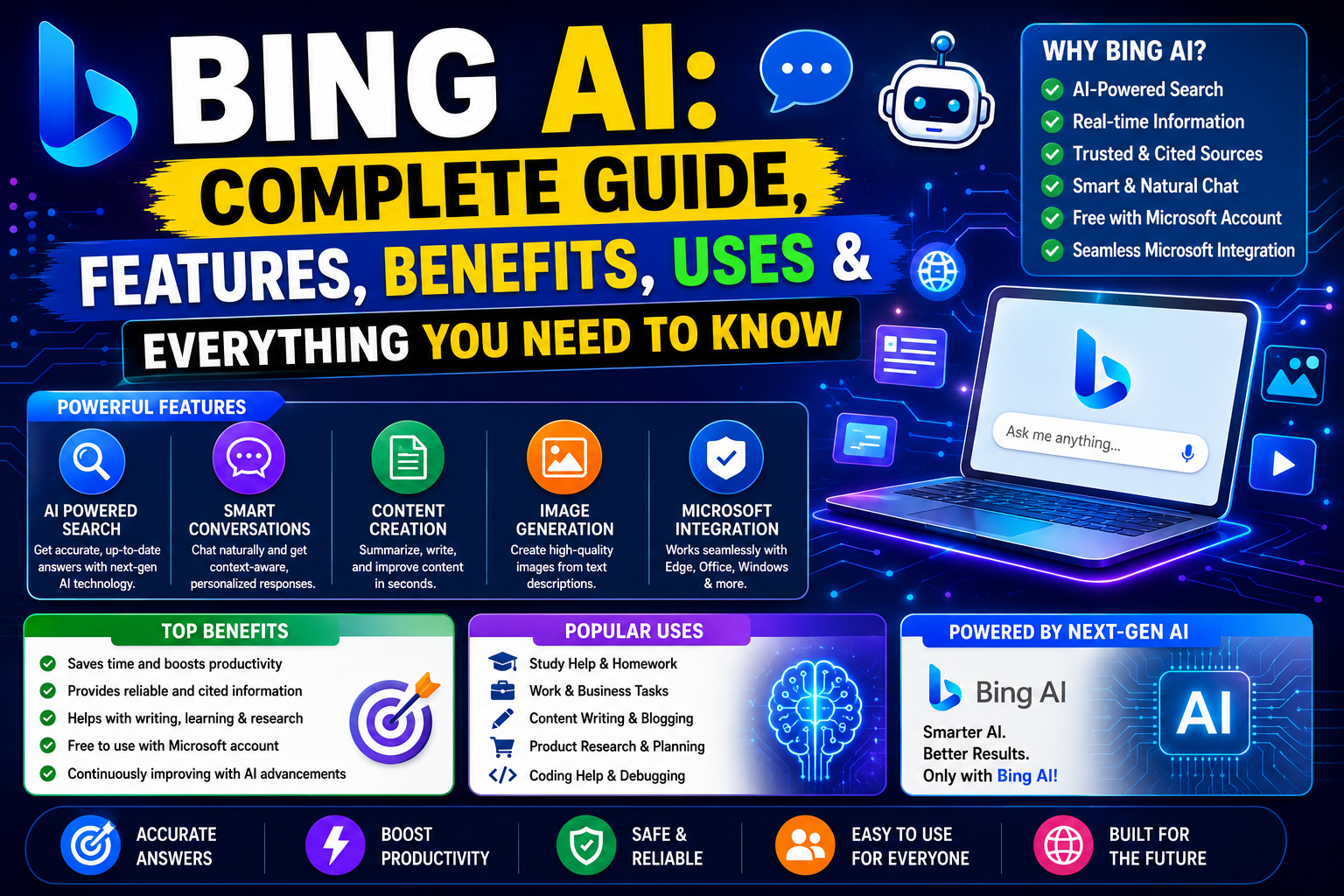
What Is Bing AI?
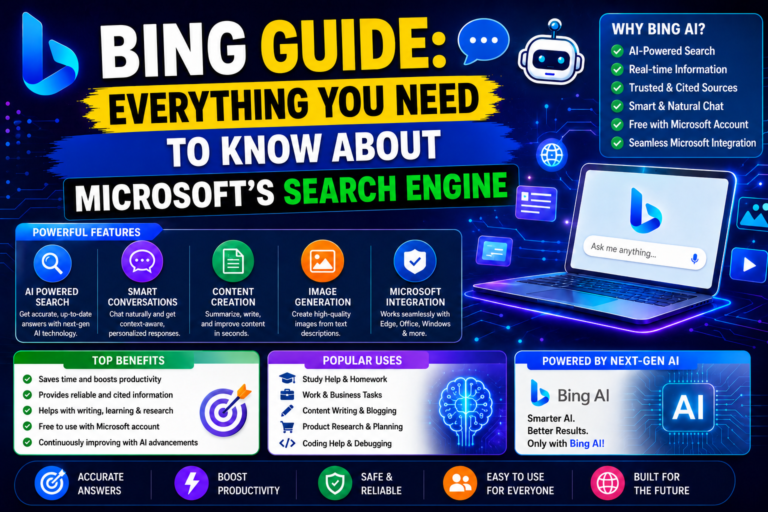
Bing AI is an advanced artificial intelligence assistant developed by Microsoft. It combines AI-powered conversations with web search to help users find information faster and complete tasks more efficiently. Unlike a traditional search engine, Bing understands natural language. You can ask questions just as you would ask another person. Instead of showing only a list of links, it provides clear answers, summaries, and helpful suggestions.
Today, AI has become an important part of Microsoft’s AI ecosystem. Many of its capabilities are now available through Microsoft Copilot, but the term “Bing AI” is still widely used by users around the world. Whether you want to research a topic, write an email, summarize a document, or learn something new, AI can save time and improve productivity.
Why Bing AI Became Popular
Artificial intelligence has changed how people search for information. Instead of opening many websites, users now expect direct and meaningful answers. Bing became popular because it offers more than traditional search. It combines the power of AI with live web search, making it easier to find accurate and up-to-date information. Several factors contributed to its popularity.
Faster Information
Users receive complete answers in seconds. This reduces the need to visit multiple websites.
Conversational Search
People can ask follow-up questions naturally. The conversation continues without starting a new search.
Real-Time Information
Unlike many AI tools that depend only on training data, Bing can also access current web information when needed. This makes it useful for news, trends, and recent updates.
Free Access
Many users started using Bing AI because several core features were available without paying for a subscription.
The Evolution of Bing AI
Microsoft has continuously improved its AI-powered search experience. The journey started with traditional Bing Search. Later, Microsoft introduced AI-powered conversations that transformed Bing into a smart assistant. As AI technology advanced, Microsoft integrated these features into Microsoft Copilot while keeping the same goal: helping users search, create, and solve problems more efficiently. Today, Bing AI is recognized as one of the most useful AI-powered search experiences available.
How Bing AI Works
Understanding how Bing AI works helps users make better use of its features. The process is simple from the user’s perspective. First, you enter a question, command, or request. The AI analyzes your prompt using advanced language models. Next, it searches relevant information when necessary. Finally, it creates a well-structured response that is easy to understand. This process usually takes only a few seconds. Because of this workflow, users spend less time searching and more time getting useful answers.
Main Features of Bing AI
Bing AI includes many powerful features that make it useful for everyday tasks.
AI-Powered Search
This is the core feature of Bing AI. Instead of showing only website links, it creates complete answers. The responses are easier to read and often save valuable time.
Natural Conversations
Users can interact naturally. You can ask another question without repeating the previous topic. This creates a smooth conversation experience.
Content Writing Assistance
Bing AI can help users create many types of content.
Examples include:
- Blog ideas
- Emails
- Product descriptions
- Social media captions
- Article outlines
- Marketing content
It works as a writing assistant rather than replacing human creativity.
Document Summaries
Reading long documents takes time. Bing AI can summarize articles, reports, and lengthy text into easy-to-read points. This feature is especially useful for students and professionals.
Coding Assistance
Developers can also benefit from Bing AI. It helps explain code, identify errors, generate simple examples, and understand programming concepts.
Creative Ideas
Writers, designers, and marketers often use Bing AI to generate fresh ideas.
It can suggest:
- Business names
- Video topics
- Blog titles
- Marketing campaigns
- Creative writing prompts
Key Benefits of Bing AI
Bing AI offers advantages for many different types of users.
Saves Time
Instead of opening many websites, users receive organized answers quickly.
This speeds up research and daily tasks.
Easy to Use
No technical knowledge is required.
Anyone can start using Bing AI by typing questions in plain English.
Improves Productivity
Students, freelancers, business owners, and professionals can complete work more efficiently.
AI handles repetitive tasks while users focus on important decisions.
Better Research
Bing AI gathers information from multiple sources and presents it in a clear format.
This makes research faster and easier.
Supports Learning
Beginners can ask questions without worrying about technical language.
The explanations are generally simple and easy to understand.
Who Should Use Bing AI?
Bing AI is designed for a wide range of users.
It is especially helpful for:
- Students
- Teachers
- Bloggers
- Content writers
- SEO professionals
- Digital marketers
- Software developers
- Business owners
- Freelancers
- Researchers
- Journalists
- Customer support teams
Each user can benefit in different ways depending on their daily tasks.
Bing AI for Students
Students often spend hours searching for information. Bing AI helps simplify this process. It can explain concepts, summarize lessons, generate study notes, and answer questions in simple language. However, students should always verify important academic information from trusted sources before submitting assignments.
Bing AI for Content Creators
Content creators use Bing AI for research, brainstorming, and planning.
It can help generate:
- Article ideas
- Video scripts
- Social media content
- SEO outlines
- Email campaigns
- Marketing strategies
Using AI responsibly can speed up the creative process while allowing creators to add their own expertise and personal style.
Is Bing AI Beginner-Friendly?
Yes. One of Bing AI’s biggest strengths is its simplicity. The interface is clean, and users can start asking questions immediately. There is no complicated setup process for basic use. This makes it suitable for people who are using AI tools for the first time.
Why Businesses Are Using Bing AI
Businesses are increasingly adopting AI tools to improve efficiency.
Bing AI can assist with:
- Market research
- Competitor analysis
- Customer communication
- Drafting reports
- Brainstorming product ideas
- Creating marketing content
These capabilities help teams save time while maintaining productivity.
First Impressions of Bing AI
After exploring its core features, Bing AI leaves a strong first impression. It is fast, easy to use, and capable of handling many everyday tasks. The conversational style feels natural, making it easier for users to interact compared to traditional search engines. For beginners, it offers an approachable introduction to AI-powered assistance. For experienced users, it provides useful support for research, writing, and productivity.
Bing AI Interface Explained
One of the biggest reasons behind the popularity of Bing AI is its clean and user-friendly interface. Microsoft designed the interface to make AI accessible for everyone. Whether you are a student, business owner, content creator, or developer, you can start using Bing AI without any technical knowledge. The homepage is simple. The chat area is clearly visible, and users can enter their questions naturally. Unlike traditional search engines, Bing AI focuses on conversations instead of keywords.
Main Sections of the Bing AI Interface
| Section | Purpose |
|---|---|
| Search Box | Enter questions or prompts |
| AI Chat | Receive conversational answers |
| Conversation History | Access previous chats |
| Image Generation | Create AI-generated images |
| Voice Input | Ask questions using your voice |
| Settings | Customize your experience |
Each section is designed to improve productivity while keeping navigation simple.
Bing AI Search Capabilities
Traditional search engines usually provide a list of websites. Bing AI goes one step further. Instead of only showing links, it analyzes information and presents a complete answer in an organized format. This approach reduces research time and helps users understand complex topics more quickly.
Types of Searches Bing AI Can Handle
Bing AI supports many different types of searches. Some common examples include:
- General knowledge
- Educational topics
- Technical questions
- Product research
- Coding help
- Travel planning
- Business research
- Marketing ideas
- Health information (for general education)
- News summaries
This flexibility makes Bing AI useful for both personal and professional tasks.
Microsoft Copilot Integration
Microsoft has gradually integrated Bing AI into Microsoft Copilot. Today, many Bing AI features are available through Copilot across Microsoft’s ecosystem. This integration allows users to access AI while working in different Microsoft products.
Examples include:
- Microsoft Edge
- Windows
- Microsoft 365 apps
- Outlook
- Word
- Excel
- PowerPoint
As a result, users can work without constantly switching between different applications.
Bing AI Image Generation
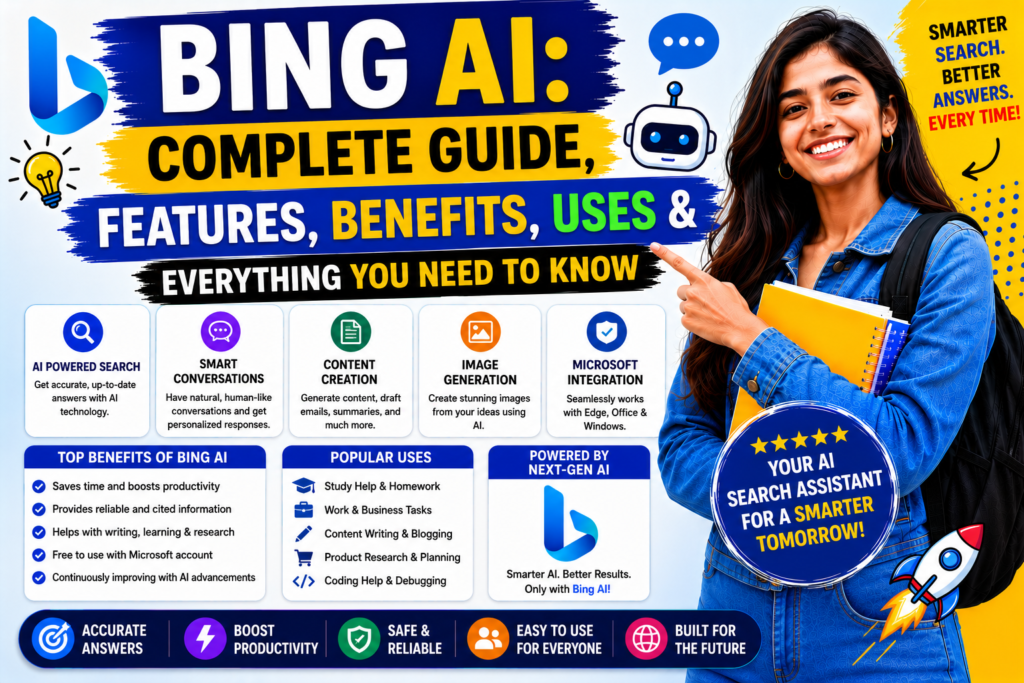
Another impressive feature is AI image generation. Users can describe almost any scene in natural language. The AI then creates digital artwork based on that description. This feature is useful for:
- Bloggers
- Graphic designers
- Marketing agencies
- Social media creators
- Students
- Small businesses
It helps generate visual content without requiring advanced design skills.
Bing AI for SEO Professionals
SEO experts spend a significant amount of time researching keywords, competitors, and content ideas. Bing AI helps simplify many of these tasks. It can assist with:
- Keyword brainstorming
- Content outlines
- Meta description ideas
- FAQ generation
- Blog topic suggestions
- Competitor research
- Search intent analysis
Although AI is helpful, SEO professionals should still verify important data using dedicated SEO tools.
Bing AI for Bloggers
Bloggers can use Bing AI throughout the content creation process. Instead of writing complete articles automatically, it works best as a research assistant. Common blogging tasks include:
- Finding topic ideas
- Creating outlines
- Improving introductions
- Writing conclusions
- Suggesting headings
- Simplifying complex concepts
This helps writers produce content more efficiently while maintaining their own writing style.
Bing AI for Developers
Software developers use Bing AI to improve productivity. It can explain programming concepts in simple language. It also assists with debugging and learning new technologies. Developers commonly use Bing AI for:
| Development Task | How Bing AI Helps |
| Debugging | Explains coding errors |
| Learning | Simplifies new concepts |
| Code Examples | Generates sample code |
| Documentation | Summarizes technical docs |
| API Understanding | Explains API usage |
| Best Practices | Suggests coding improvements |
While AI is useful, developers should always test generated code before using it in production.
Bing AI for Business Owners
Business owners often have limited time. Bing AI helps automate research and planning tasks. It can assist with:
- Business ideas
- Marketing campaigns
- Customer communication
- Product descriptions
- Email writing
- Meeting summaries
- Business reports
This allows entrepreneurs to focus on decision-making instead of repetitive tasks.
Bing AI Pricing
One of the most common questions users ask is whether Bing AI is free. The good news is that many Bing AI features are available without a paid subscription. However, Microsoft also offers premium AI features through selected subscriptions and services.
Bing AI Pricing Overview
| Feature | Free | Premium |
| AI Chat | ✔ | ✔ |
| Web Search | ✔ | ✔ |
| Writing Help | ✔ | ✔ |
| Image Generation | ✔ (limited) | Higher limits |
| Advanced AI Features | Limited | Full Access |
| Faster Responses | Standard | Priority |
| Productivity Tools | Basic | Advanced |
For most casual users, the free version offers enough functionality. Professionals who rely heavily on AI may benefit from premium plans.
Advantages of Bing AI
Bing AI offers several advantages over traditional search methods. Some of the biggest strengths include:
- Easy-to-use interface
- Fast responses
- Conversational search
- Live web information
- AI-powered writing assistance
- Image generation
- Coding support
- Microsoft ecosystem integration
- Productivity improvements
- Free access for many features
These benefits make Bing AI suitable for both beginners and experienced users.
Limitations of Bing AI
No AI tool is perfect. Bing AI also has some limitations. These include:
- AI responses may occasionally contain mistakes.
- Important information should always be verified.
- Premium features may require a subscription.
- Some responses depend on internet availability.
- Complex topics may still require human expertise.
Understanding these limitations helps users make better decisions when using AI.
Performance Overview
| Category | Rating |
| Ease of Use | ⭐⭐⭐⭐⭐ |
| Search Accuracy | ⭐⭐⭐⭐⭐ |
| Writing Assistance | ⭐⭐⭐⭐☆ |
| Coding Support | ⭐⭐⭐⭐⭐ |
| Image Generation | ⭐⭐⭐⭐☆ |
| Speed | ⭐⭐⭐⭐⭐ |
| User Interface | ⭐⭐⭐⭐⭐ |
| Overall Rating | 4.8/5 |
The overall experience is fast, reliable, and suitable for most everyday tasks.
Bing AI vs ChatGPT
Both Bing AI and ChatGPT are among the most popular AI assistants available today. While they share many similarities, they are designed with different strengths in mind. The table below highlights the key differences.
| Feature | Bing AI | ChatGPT |
|---|---|---|
| Web Search | Yes | Available in supported modes |
| Conversational AI | Excellent | Excellent |
| Content Writing | Very Good | Excellent |
| Coding Help | Excellent | Excellent |
| Image Generation | Yes | Available in supported modes |
| Microsoft Integration | Excellent | Limited |
| Research | Excellent | Excellent |
| Beginner Friendly | Yes | Yes |
Which One Should You Choose?
Choose Bing AI if you:
- Need real-time web search.
- Use Microsoft products regularly.
- Want quick research with current information.
- Prefer a free AI assistant for daily tasks.
Choose ChatGPT if you:
- Create long-form content.
- Need advanced brainstorming.
- Want detailed explanations.
- Work on programming, writing, or business planning.
Many professionals use both tools together because they complement each other well.
Bing AI vs Google Search
Traditional search engines and AI assistants serve different purposes. Google Search is designed to help users discover websites, while Bing AI aims to provide direct answers through conversational AI.
| Feature | Bing AI | Google Search |
| Direct Answers | Yes | Limited |
| Website Discovery | Good | Excellent |
| Conversational Search | Excellent | Limited |
| AI Writing Help | Yes | No |
| Current Information | Yes | Yes |
| Research Speed | Faster | Moderate |
For in-depth research, Bing AI often reduces the time spent opening multiple webpages.
Bing AI vs Google Gemini
Google Gemini is another advanced AI assistant that integrates with Google’s ecosystem.
| Feature | Bing AI | Google Gemini |
| Microsoft Integration | Excellent | Limited |
| Google Workspace | Limited | Excellent |
| AI Chat | Excellent | Excellent |
| Research | Excellent | Excellent |
| Productivity | Excellent | Excellent |
If you mainly use Microsoft products, Bing AI is often the better fit. If you rely on Google Workspace, Gemini may be more convenient.
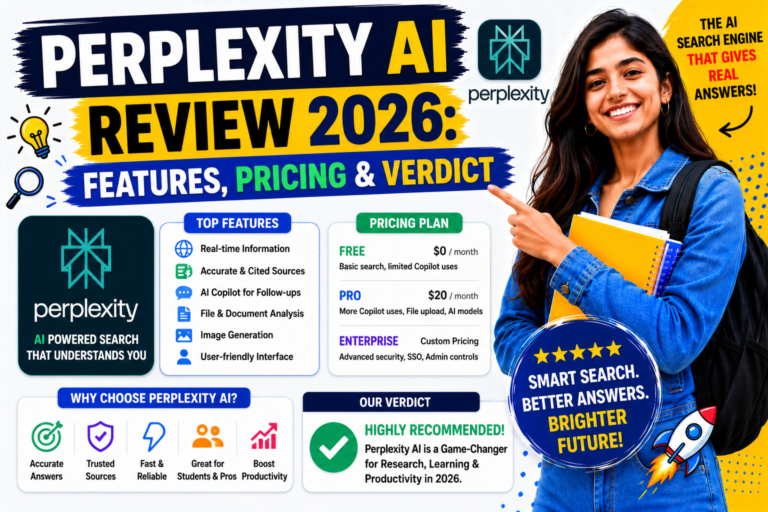
Bing AI vs Perplexity AI
Perplexity AI is known for research and source-backed answers.
| Feature | Bing AI | Perplexity AI |
| Web Search | Excellent | Excellent |
| Source Citations | Available | Strong Focus |
| Conversational Search | Excellent | Excellent |
| Research | Very Good | Excellent |
| Ease of Use | Excellent | Excellent |
Perplexity AI is often preferred for academic-style research, while Bing AI offers stronger integration with Microsoft’s services.
Pros of Bing AI
Bing AI offers many advantages for different types of users. Some of its biggest strengths include:
- Easy-to-use interface.
- Free access to many core features.
- AI-powered web search.
- Fast and natural conversations.
- Microsoft ecosystem integration.
- Content writing support.
- Coding assistance.
- AI image generation.
- Productivity improvements.
- Suitable for beginners and professionals.
These features make Bing AI a practical AI assistant for both personal and professional use.
Cons of Bing AI
Despite its strengths, Bing AI also has some limitations. These include:
- AI-generated responses may occasionally contain errors.
- Some advanced features depend on Microsoft services.
- Premium capabilities may require a subscription.
- Complex topics still need human verification.
- Generated content should always be reviewed before publication.
Using Bing AI as a productivity assistant rather than a replacement for human judgment produces the best results.
Best Alternatives to Bing AI
If Bing AI does not fully meet your needs, consider these alternatives.
| AI Tool | Best For |
| ChatGPT | Writing, coding, brainstorming |
| Google Gemini | Google Workspace users |
| Perplexity AI | Research and citations |
| Claude | Long document analysis |
| Microsoft Copilot | Productivity inside Microsoft apps |
Each tool has unique strengths. Choosing the right one depends on your workflow and goals.
Frequently Asked Questions (FAQs)
Is Bing AI free?
Yes. Many Bing AI features are available free of charge. Some advanced capabilities may require a Microsoft subscription or premium plan.
Can Bing AI access the internet?
Yes. Bing AI is designed to combine conversational AI with web search, allowing it to provide up-to-date information for many queries.
Is Bing AI better than ChatGPT?
It depends on your needs. Bing AI is strong for web-based research and Microsoft integration, while ChatGPT is widely used for creative writing, coding, and long-form content.
Can Bing AI generate images?
Yes. Bing AI includes AI-powered image generation, allowing users to create images from text prompts.
Is Bing AI good for students?
Yes. Students can use Bing AI to research topics, summarize information, and better understand difficult concepts. Important academic work should always be verified with trusted sources.
Can bloggers use Bing AI?
Absolutely. Bloggers often use Bing AI for topic research, article outlines, title ideas, and content planning. Human editing is still recommended for the best results.
Does Bing AI support coding?
Yes. It can explain programming concepts, generate sample code, and help identify common coding issues.
Is Bing AI safe to use?
Bing AI is generally safe for everyday use. However, users should avoid sharing sensitive personal information and should verify important legal, financial, or medical advice from trusted professionals.
Can Bing AI replace Google Search?
Not completely. Bing is excellent for conversational answers and research, while traditional search engines remain useful for discovering websites, official resources, and local information.
Who should use Bing AI?
Bing is suitable for students, teachers, writers, marketers, developers, researchers, business owners, and anyone looking to improve productivity with Ai.
Note
Bing AI has transformed the way people search, learn, and create content. By combining artificial intelligence with web search, it offers a faster and more interactive experience than traditional search engines. Its strengths include conversational search, writing assistance, coding support, image generation, and seamless integration with Microsoft’s ecosystem. While it is not a replacement for human expertise, it is a valuable productivity tool for everyday tasks, research, and content creation. Whether you are a beginner exploring AI for the first time or a professional looking to streamline your workflow, Bing offers a balanced mix of accessibility, speed, and functionality. Overall, Bing AI remains one of the leading AI assistants available in 2026.
Overall Rating: ⭐ 4.8/5
Recommendation: Recommended for students, professionals, developers, marketers, researchers, and content creators who want a reliable AI assistant with strong web search capabilities.
Best Free AI Tools for Students in 2026
ChatGPT vs Gemini vs Claude: Complete Comparison
AI Tools for Small Business Owners
AI Tools for YouTube Creators
How to Use AI for Blogging: A Beginner’s Guide
AI Tools for Small Business Owners
AI Tools for YouTube Creators: Complete Guide
How to Write Better Prompts for AI: Complete Guide for Beginners in 2026
How AI Can Save Time in Daily Work: A Complete Guide
Common AI Mistakes and How to Avoid Them
Best AI Chrome Extensions in 2026
Best Free AI Resume Builder Tools
ChatGPT vs Gemini vs Claude: Complete AI Comparison
ChatGPT vs Copilot
AI Tool Comparison: Gemini vs Claude
ChatGPT Alternatives: 10 Best AI Chatbots and Assistants
AI Tools Comparison: Free AI Tools vs Paid AI Tools
Best AI Tool for Students: Complete Guide for Learning
AI Tools for College Students: Best Free and Paid Options
Perplexity AI Review
About The Author