Web browsers have become the center of modern work. Most people spend hours every day using websites, online tools, emails, documents, and search engines.
As a result, productivity often depends on how efficiently you use your browser.
This is where AI Extensions can make a huge difference.
Instead of switching between multiple tools, AI-powered browser extensions bring artificial intelligence directly into your workflow. They can write emails, summarize articles, generate content, improve grammar, take notes, answer questions, and automate repetitive tasks.
Many professionals now rely on AI Extensions to save time and improve productivity.
However, not every extension is worth installing. Some offer real value, while others add unnecessary complexity.
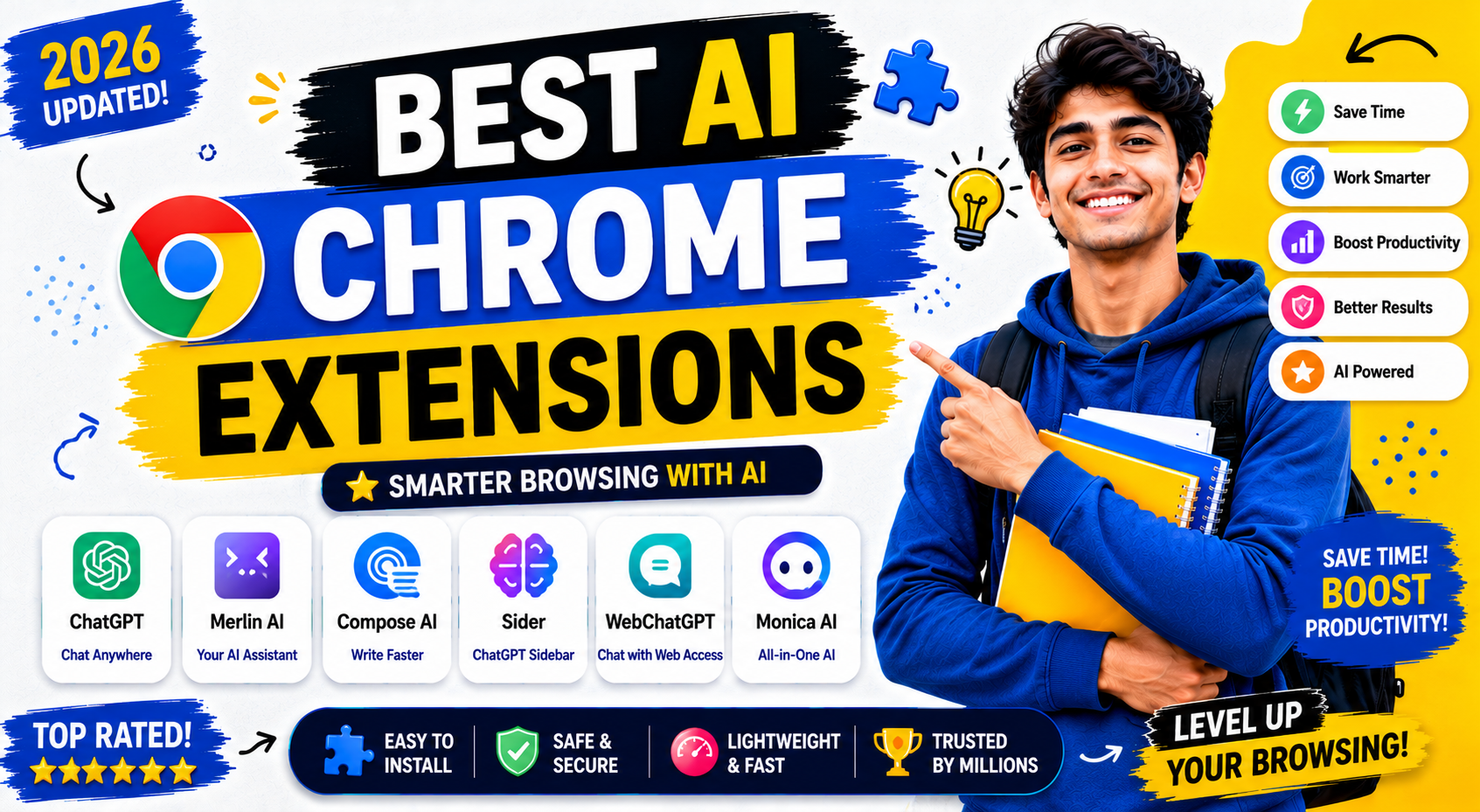
In this guide, you will learn about the best AI Chrome extensions available today, their features, benefits, limitations, and the situations where they work best.
Why AI Extensions Are Becoming Popular
Artificial intelligence is changing how people work online.
Instead of completing every task manually, users can now receive instant assistance directly inside their browser.
This approach offers several advantages.
Faster Workflows
Many tasks that previously required multiple steps can now be completed in seconds.
Better Productivity
AI Extensions reduce repetitive work and help users focus on more important tasks.
Improved Accuracy
Many extensions help reduce writing errors, research mistakes, and formatting issues.
Time Savings
Users can complete more work without increasing working hours.
Because of these benefits, AI Extensions have become popular among students, freelancers, marketers, business owners, and content creators.
How to Choose the Best AI Extensions
Before installing any extension, it is important to understand your needs.
Different AI Extensions solve different problems.
For Writing
Choose extensions that improve content creation and editing.
For Research
Choose tools that summarize information and collect insights.
For Productivity
Choose extensions that automate repetitive tasks.
For Meetings
Choose AI tools that create notes and summaries.
For Marketing
Choose extensions that help with content, SEO, and communication.
Selecting the right AI Extensions will help you get the maximum benefit.
Best AI Extensions for Everyday Productivity
There are hundreds of AI-powered browser tools available.
However, only a few consistently deliver excellent results.
Let’s examine the most useful options.
Grammarly
Grammarly is one of the most widely used AI Extensions in the world.
It helps users improve their writing in real time.
Key Features
- Grammar correction
- Spelling checks
- Tone suggestions
- Readability improvements
- Writing assistance
Best For
- Students
- Bloggers
- Business professionals
- Freelancers
Advantages
Grammarly works almost everywhere online.
It helps users create clearer and more professional content.
Limitations
Advanced features require a premium subscription.
ChatGPT for Chrome
ChatGPT-based browser extensions have become extremely popular.
These tools bring AI assistance directly into the browser.
Key Features
- Content generation
- Email writing
- Research assistance
- Quick answers
- Summaries
Best For
- Writers
- Marketers
- Students
- Researchers
Advantages
Users can access AI without constantly opening separate websites.
This creates a faster workflow.
Limitations
Output quality depends on prompt quality.
Merlin AI
Merlin AI is one of the most powerful AI Extensions currently available.
It works across websites and provides AI assistance almost everywhere.
Key Features
- Content creation
- Search assistance
- Summaries
- Email generation
- Social media support
Best For
- Content creators
- Digital marketers
- Professionals
Advantages
Merlin integrates with many popular websites.
This improves workflow efficiency.
Limitations
Some advanced features have usage limits.
Compose AI
Writing repetitive emails can consume significant time.
Compose AI solves this problem.
Key Features
- Sentence completion
- Email generation
- Writing suggestions
- Auto-completion
Best For
- Office workers
- Customer support teams
- Sales professionals
Advantages
Compose AI speeds up everyday writing tasks.
Many users report substantial time savings.
Limitations
Generated text may occasionally require editing.
Wordtune
Wordtune focuses on rewriting and improving content.
Instead of creating text from scratch, it helps users improve existing content.
Key Features
- Sentence rewriting
- Tone adjustments
- Clarity improvements
- Content enhancement
Best For
- Writers
- Bloggers
- Students
Advantages
Wordtune improves readability without changing the original meaning.
Limitations
The free version includes usage restrictions.
AI Extensions for Research and Learning
Research is one of the most time-consuming online activities.
Fortunately, several AI Extensions can simplify this process.
Perplexity AI Extension
Perplexity has gained popularity because of its research-focused approach.
It provides answers while showing sources.
Key Features
- Research assistance
- Source citations
- Quick summaries
- Knowledge discovery
Best For
- Students
- Researchers
- Professionals
Advantages
Users can verify information more easily.
Limitations
Some advanced capabilities require premium access.
Glasp
Glasp helps users collect and organize knowledge.
It works particularly well for people who read large amounts of content.
Key Features
- Highlight saving
- Note organization
- Content collection
- Knowledge management
Best For
- Researchers
- Students
- Knowledge workers
Advantages
Important information remains organized and accessible.
Limitations
The learning curve may feel slightly challenging for new users.
Sider AI
Sider combines multiple AI capabilities within a single extension.
It works with webpages, PDFs, videos, and documents.
Key Features
- Summaries
- Translation
- Writing assistance
- Question answering
Best For
- Students
- Researchers
- Professionals
Advantages
Multiple tools are available in one place.
Limitations
Some advanced features require a paid plan.
AI Extensions for SEO and Content Creation
Content creators and SEO professionals spend a lot of time on research, writing, optimization, and content analysis.
Several AI Extensions can simplify these tasks.
AIPRM for ChatGPT
AIPRM is a popular extension among marketers, bloggers, and SEO professionals.
It provides ready-made prompts for different use cases.
Key Features
- SEO prompts
- Content writing templates
- Marketing prompts
- Keyword-focused workflows
Best For
- Bloggers
- SEO professionals
- Content marketers
Advantages
Users can save time by using proven prompt templates.
Limitations
Results still depend on editing and fact-checking.
HARPA AI
HARPA AI combines browser automation with AI assistance.
It helps users monitor websites, summarize content, and automate workflows.
Key Features
- Website monitoring
- AI summaries
- SEO support
- Content analysis
Best For
- SEO experts
- Researchers
- Digital marketers
Advantages
It combines productivity and automation in one extension.
Limitations
Some advanced workflows require additional setup.
AI Extensions for Students
Students often spend hours reading articles, watching videos, and taking notes.
The right AI Extensions can make learning easier.
Monica AI
Monica AI has become popular among students and professionals.
It provides AI assistance directly within the browser.
Key Features
- Writing help
- Summaries
- Translation
- Research support
Best For
- Students
- Researchers
- Professionals
Advantages
Monica reduces the time needed for research and content review.
Limitations
Heavy users may need a premium plan.
YouTube Summary with ChatGPT
Educational videos can be extremely useful.
However, watching long videos takes time.
This extension generates quick summaries of YouTube videos.
Key Features
- Video summaries
- Key point extraction
- Faster learning
Best For
- Students
- Researchers
- Content creators
Advantages
Users can understand video content quickly.
Limitations
Some details may be missed in summaries.
AI Extensions for YouTube Creators
YouTube creators manage many tasks.
These include research, scripting, optimization, and content planning.
AI Extensions can reduce this workload.
TubeBuddy AI Features
TubeBuddy offers several AI-powered features designed for creators.
Key Features
- Video title suggestions
- Keyword insights
- Channel optimization
- Content planning
Best For
- YouTube creators
- Video marketers
Advantages
It helps creators improve discoverability.
Limitations
Some advanced features require paid access.
vidIQ AI Tools
vidIQ includes AI-powered content suggestions and keyword research tools.
Key Features
- Video ideas
- Keyword research
- Channel analytics
- Optimization recommendations
Best For
- New creators
- Growing channels
Advantages
It helps users identify content opportunities.
Limitations
Competition analysis features may require a paid subscription.
AI Extensions for Business Professionals
Business professionals often deal with emails, meetings, reports, and documentation.
Several Extensions can improve efficiency.
Fireflies AI Extension
Meeting notes consume a lot of time.
Fireflies helps automate this process.
Key Features
- Meeting recording
- Transcription
- AI summaries
- Action item tracking
Best For
- Teams
- Managers
- Business professionals
Advantages
It reduces manual note-taking.
Limitations
Accuracy may vary depending on audio quality.
Otter AI Extension
Otter is another popular productivity tool.
It specializes in capturing conversations and creating searchable notes.
Key Features
- Live transcription
- Meeting notes
- Collaboration tools
Best For
- Remote teams
- Business users
- Students
Advantages
Important information becomes easier to find later.
Limitations
Premium plans unlock the best features.
Benefits of Using AI Extensions
The popularity of AI Extensions continues to grow because they provide practical benefits.
Increased Productivity
Users complete tasks faster.
As a result, they can focus on more important work.
Better Content Quality
Writing assistants improve clarity and reduce mistakes.
Faster Research
Summaries and AI-powered search tools reduce research time.
Improved Learning
Students can process information more efficiently.
Reduced Repetitive Work
Automation handles routine activities that normally consume valuable time.
Common Mistakes When Using AI Extensions
Many users install AI Extensions but fail to use them effectively.
Avoid these common mistakes.
Installing Too Many AI Extensions
Some users install dozens of extensions.
This can slow down the browser.
It can also create confusion.
Better Approach
Use only the extensions that genuinely improve your workflow.
Trusting AI Without Verification
AI tools are helpful.
However, they can occasionally generate incorrect information.
Better Approach
Always verify important facts before using them.
Ignoring Privacy Settings
Some extensions process user data.
Many people never review privacy settings.
Better Approach
Read privacy policies and understand how data is handled.
Using Weak Prompts
Many AI Extensions rely on prompts.
Poor prompts often create poor results.
Better Approach
Use clear instructions and provide enough context.
Security and Privacy Considerations
Before installing any AI Extensions, consider security.
Ask these questions:
- Does the extension come from a trusted developer?
- Does it have positive reviews?
- What permissions does it request?
- How does it handle user data?
Taking a few minutes to review these details can prevent future problems.
How to Choose the Right AI Extensions
Not every extension is suitable for every user.
The best choice depends on your goals.
Choose Writing Extensions If You:
- Create content regularly
- Write emails daily
- Manage documents
Choose Research Extensions If You:
- Read large amounts of content
- Conduct research frequently
- Need information summaries
Productivity Extensions If You:
- Manage projects
- Attend meetings
- Handle repetitive tasks
Choose Marketing Extensions If You:
- Work in SEO
- Manage social media
- Create marketing campaigns
Selecting extensions based on your needs will provide the best results.
Frequently Asked Questions
What are the best AI Extensions for Chrome?
Some of the most popular AI Extensions include Grammarly, Merlin AI, ChatGPT for Chrome, Monica AI, HARPA AI, Perplexity AI, and Sider AI.
Are AI Extensions free?
Many AI Extensions offer free plans. However, premium features often require a paid subscription.
Do AI Extensions improve productivity?
Yes. AI Extensions can automate repetitive tasks, improve writing, simplify research, and save time.
Are AI Extensions safe?
Most well-known extensions are safe. However, users should always review permissions and privacy policies before installation.
Which AI Extensions are best for students?
Students often benefit from Monica AI, Perplexity AI, Glasp, Sider AI, and YouTube Summary extensions.
Which AI Extensions help content creators?
Content creators frequently use Grammarly, Merlin AI, AIPRM, HARPA AI, TubeBuddy, and vidIQ.
Note
AI Extensions have transformed the way people use web browsers. Instead of switching between multiple tools, users can access powerful AI features directly within Chrome. Whether you need help with writing, research, productivity, learning, SEO, or business tasks, there is an extension designed for that purpose.
The biggest advantage of Extensions is convenience. They reduce repetitive work, improve efficiency, and help users complete tasks faster. However, choosing the right tools is important. Installing too many extensions can reduce performance and create unnecessary complexity.
For most users, a small collection of carefully selected Extensions provides the best results. Focus on tools that solve real problems, improve your workflow, and save time every day.
As AI technology continues to evolve, browser-based AI tools will become even more powerful. Learning how to use Extensions today can help you stay productive and competitive in the future.
Best Free AI Tools for Students in 2026
ChatGPT vs Gemini vs Claude: Complete Comparison
AI Tools for Small Business Owners
AI Tools for YouTube Creators
How to Use AI for Blogging: A Beginner’s Guide
AI Tools for Small Business Owners
AI Tools for YouTube Creators: Complete Guide
How to Write Better Prompts for AI: Complete Guide for Beginners in 2026
How AI Can Save Time in Daily Work: A Complete Guide
Common AI Mistakes and How to Avoid Them
Best AI Chrome Extensions in 2026
About The Author