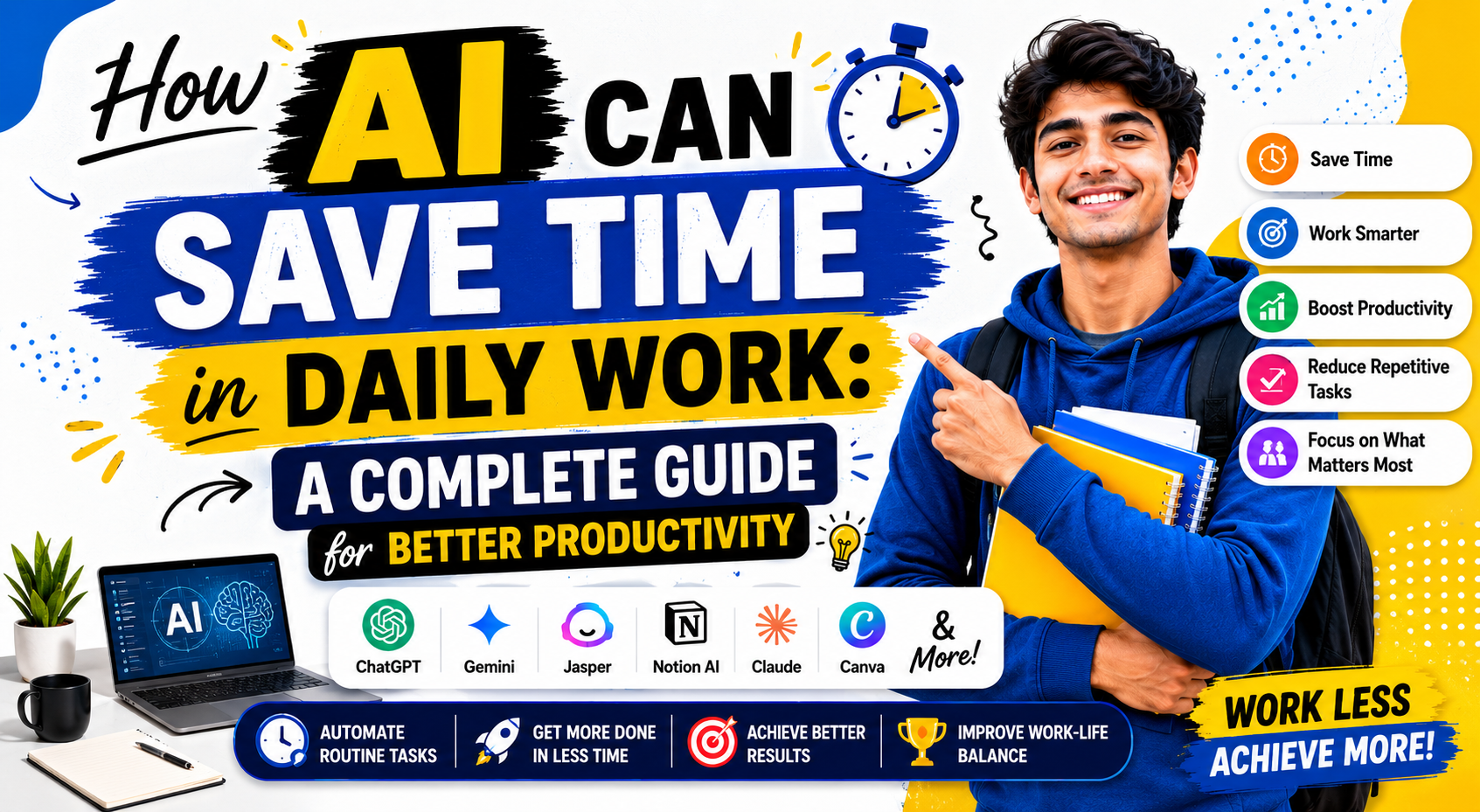
How AI Can Save Time in Daily Work :- Time is one of the most valuable resources in modern life. Whether you are a student, employee, freelancer, business owner, or content creator, you probably wish you had more hours in the day.
Many daily tasks consume a significant amount of time. Answering emails, creating reports, organizing data, scheduling meetings, writing content, and managing projects can quickly fill an entire workday.
This is where Artificial Intelligence (AI) is changing the way people work.
AI is no longer a futuristic technology that only large companies can afford. Today, AI tools are available to everyone. They help people complete tasks faster, reduce mistakes, improve productivity, and focus on more important work.
The biggest advantage of AI is simple. It saves time.
In this guide, you will learn how AI can save time in daily work, which tasks can be automated, what benefits AI provides, and how individuals and businesses can use AI effectively.
What Is AI?
Artificial Intelligence refers to computer systems that can perform tasks that normally require human intelligence.
These tasks include:
- Writing content
- Understanding language
- Analyzing data
- Generating images
- Answering questions
- Summarizing information
- Predicting outcomes
- Automating workflows
AI systems learn from data and patterns. This allows them to provide useful responses and complete tasks more efficiently.
Popular AI tools include:
- ChatGPT
- Gemini
- Claude
- Grammarly
- Notion AI
- Microsoft Copilot
- Canva AI
- Jasper AI
These tools are helping millions of people save hours every week.
Why Time Management Matters in Daily Work
Many professionals spend a large part of their day on repetitive activities.
Examples include:
- Checking emails
- Creating documents
- Organizing files
- Data entry
- Scheduling meetings
- Research
- Customer support
These tasks are necessary but often consume valuable time.
When repetitive work takes over the day, people have less time for:
- Creative thinking
- Strategy planning
- Learning new skills
- Business growth
- Personal development
AI helps reduce the time spent on routine work so that people can focus on high-value activities.
How AI Saves Time in Daily Work
AI saves time by automating tasks, speeding up processes, and reducing manual effort.
Let’s explore the most important ways AI improves daily productivity.
AI Automates Repetitive Tasks
Repetitive tasks are one of the biggest productivity killers.
Examples include:
- Copying data
- Formatting documents
- Sending routine emails
- Updating spreadsheets
- Creating reports
These tasks may seem small individually, but together they consume several hours every week.
AI tools can automate many of these activities.
For example:
- AI can sort emails automatically.
- AI can categorize documents.
- AI can generate reports instantly.
- AI can update databases with minimal human input.
Instead of spending hours on repetitive work, employees can focus on more meaningful tasks.
AI Helps Write Content Faster
Writing is a major part of modern work.
People write:
- Emails
- Blog posts
- Reports
- Proposals
- Social media posts
- Product descriptions
Creating content manually takes time.
AI writing assistants can generate drafts within seconds.
They can help with:
- Brainstorming ideas
- Creating outlines
- Writing introductions
- Improving grammar
- Simplifying complex text
- Rewriting content
This significantly reduces writing time.
Instead of starting from a blank page, users can begin with an AI-generated draft and make improvements.
This approach saves hours every week.
AI Improves Email Management
Email management can consume a large portion of the workday.
Many professionals spend several hours each week reading and replying to emails.
AI tools can:
- Draft email responses
- Summarize long email threads
- Prioritize important messages
- Filter spam
- Organize inboxes
For example, instead of reading a long conversation, AI can provide a short summary highlighting the key points.
This allows users to process emails much faster.
AI Makes Research Faster
Research often requires visiting multiple websites, reading articles, and collecting information.
This process can be time-consuming.
AI tools help by:
- Summarizing articles
- Extracting key insights
- Answering questions
- Comparing information
- Organizing research notes
Instead of spending hours searching for information, users can quickly gather the knowledge they need.
Researchers, students, marketers, and business owners benefit greatly from AI-powered research tools.
AI Helps Manage Meetings Efficiently
Meetings are important, but they often consume significant time.
AI meeting assistants can:
- Record meetings
- Create transcripts
- Generate summaries
- Highlight action items
- Assign tasks automatically
Without AI, someone must manually take notes during every meeting.
With AI, meeting notes are generated automatically.
This saves time and ensures important information is not missed.
AI Enhances Project Management
Managing projects involves many tasks.
These include:
- Tracking deadlines
- Assigning work
- Monitoring progress
- Managing resources
AI-powered project management tools simplify these responsibilities.
They can:
- Predict delays
- Prioritize tasks
- Suggest schedules
- Send reminders
- Analyze project performance
As a result, teams spend less time managing projects and more time completing them.
AI Simplifies Data Analysis
Data analysis is often one of the most time-consuming business activities.
Organizations collect large amounts of information every day.
Analyzing this data manually can take hours or even days.
AI tools can quickly:
- Identify trends
- Create visual reports
- Detect anomalies
- Generate insights
- Forecast outcomes
Businesses can make faster decisions while reducing manual effort.
AI Reduces Human Errors
Mistakes create additional work.
When errors occur, people must spend extra time fixing them.
AI helps reduce mistakes by:
- Checking grammar
- Validating data
- Identifying inconsistencies
- Detecting missing information
Fewer errors mean less rework and higher productivity.
This results in significant time savings over the long term.
AI Helps Customer Support Teams Work Faster
Customer support teams often answer the same questions repeatedly.
AI chatbots can handle many routine inquiries automatically.
They can provide instant answers to:
- Product questions
- Pricing details
- Account information
- Basic troubleshooting
This allows human agents to focus on more complex customer issues.
Businesses improve response times while reducing workload.
AI Assists with Scheduling and Calendar Management
Scheduling meetings can be surprisingly time-consuming.
Finding available time slots often involves multiple emails and calendar checks.
AI scheduling tools can:
- Find suitable meeting times
- Send invitations
- Adjust schedules automatically
- Avoid conflicts
This makes calendar management easier and more efficient.
AI Supports Better Decision-Making
Decision-making often requires gathering information and analyzing options.
AI can quickly process large amounts of data and provide useful insights.
This helps professionals:
- Evaluate opportunities
- Identify risks
- Compare alternatives
- Make informed decisions faster
Faster decisions often lead to improved productivity and business growth.
Real-Life Examples of AI Saving Time
For Students
Students use AI for:
- Research
- Note summaries
- Study plans
- Writing assistance
- Exam preparation
This reduces study time while improving learning efficiency.
For Freelancers
Freelancers use AI for:
- Content creation
- Client communication
- Proposal writing
- Project management
AI allows freelancers to serve more clients in less time.
For Business Owners
Business owners use AI for:
- Marketing
- Customer support
- Analytics
- Content generation
- Automation
This helps them focus on growing their business.
For Employees
Employees use AI for:
- Email management
- Report creation
- Data analysis
- Meeting summaries
This improves productivity and reduces workload.
Benefits of Using AI in Daily Work
The advantages extend beyond time savings.
Major benefits include:
- Higher productivity
- Better work quality
- Reduced stress
- Improved accuracy
- Faster decision-making
- Enhanced efficiency
- Better work-life balance
People can complete more work without increasing working hours.
Best AI Tools That Can Save Time in Daily Work
The AI market is growing rapidly. New tools are being launched every month.
However, not every AI tool is useful for daily work. Some tools provide real productivity benefits and help users save hours every week.
Below are some of the most useful AI tools available today.
ChatGPT
ChatGPT is one of the most popular AI assistants in the world.
It can help users:
- Write content
- Draft emails
- Generate ideas
- Summarize information
- Create reports
- Answer questions
- Brainstorm solutions
Instead of spending hours creating content from scratch, users can generate a first draft within minutes.
This dramatically improves productivity.
Google Gemini
Gemini is Google’s AI assistant.
It helps users with:
- Research
- Content generation
- Information summaries
- Planning tasks
- Learning new topics
Gemini integrates well with Google’s ecosystem, making it useful for people who regularly use Google Workspace products.
Claude
Claude is known for producing detailed and natural responses.
It is particularly useful for:
- Long-form writing
- Document analysis
- Business communication
- Content editing
- Research tasks
Professionals who work with large amounts of text can save considerable time using Claude.
Grammarly
Writing mistakes can reduce professionalism.
Grammarly helps users:
- Fix grammar errors
- Improve sentence structure
- Enhance readability
- Adjust writing tone
Instead of manually proofreading every document, users can quickly improve content quality.
Notion AI
Notion AI combines note-taking and artificial intelligence.
It can:
- Summarize notes
- Generate content
- Create meeting summaries
- Organize information
This makes knowledge management much easier.
Canva AI
Designing graphics often requires significant effort.
Canva AI helps users:
- Generate images
- Create presentations
- Design social media posts
- Produce marketing materials
Even beginners can create professional-looking designs quickly.
Microsoft Copilot
Microsoft Copilot integrates with Office applications.
It helps users:
- Create presentations
- Analyze spreadsheets
- Draft documents
- Summarize meetings
This makes daily office work much faster and more efficient.
Industries That Benefit Most from AI
AI is useful in almost every industry.
Let’s look at how different sectors use AI to save time.
Education
Teachers and students use AI for:
- Lesson planning
- Research
- Study materials
- Content summaries
- Exam preparation
AI reduces administrative workload and improves learning efficiency.
Marketing
Marketing professionals use AI to:
- Create content
- Generate ad copy
- Analyze campaigns
- Perform keyword research
- Schedule social media posts
This helps marketers execute campaigns faster.
Healthcare
Healthcare organizations use AI for:
- Appointment scheduling
- Medical documentation
- Data analysis
- Administrative support
This allows healthcare professionals to focus more on patient care.
Finance
Financial professionals use AI for:
- Risk analysis
- Fraud detection
- Reporting
- Data processing
AI improves efficiency while reducing manual work.
E-commerce
Online businesses use AI for:
- Customer support
- Product recommendations
- Inventory management
- Marketing automation
This improves customer experience and saves valuable time.
How to Start Using AI in Daily Work
Many people want to use AI but do not know where to begin.
The best approach is to start small.
Step 1: Identify Repetitive Tasks
Make a list of tasks you perform repeatedly.
Examples include:
- Writing emails
- Creating reports
- Data entry
- Research
- Scheduling meetings
These tasks are usually good candidates for automation.
Step 2: Choose the Right AI Tool
Different tools serve different purposes.
For example:
- ChatGPT for writing and brainstorming
- Grammarly for editing
- Canva AI for design
- Notion AI for organization
Choose tools based on your specific needs.
Step 3: Automate One Task at a Time
Do not try to automate everything immediately.
Start with one process.
Once you become comfortable, gradually expand AI usage.
This approach prevents confusion and improves adoption.
Step 4: Review AI Outputs
AI is powerful, but it is not perfect.
Always review:
- Facts
- Data
- Calculations
- Recommendations
Human oversight remains important.
Step 5: Measure Time Savings
Track how much time AI saves each week.
Many users discover they save several hours within the first month.
These hours can be invested in more productive activities.
Common Mistakes People Make When Using AI
AI can be extremely useful, but some mistakes reduce its effectiveness.
Avoid these common problems.
Depending Completely on AI
AI should support human work, not replace human judgment.
Always review important outputs before using them.
Using Poor Prompts
The quality of AI results depends on the quality of instructions.
Clear prompts produce better responses.
Specific requests often generate more useful results.
Ignoring Data Privacy
Never share sensitive information with AI tools without understanding their privacy policies.
Protect confidential business and personal data.
Not Learning the Tool Properly
Many users try AI once and quit.
Learning how to use AI effectively takes time.
The more experience you gain, the better the results become.
Expecting Perfect Results
AI is a productivity tool.
It is not magic.
Sometimes responses require editing and refinement.
Treat AI as an assistant rather than a replacement for expertise.
The Future of AI in Daily Work
AI technology is improving rapidly.
Future AI systems will become:
- Faster
- Smarter
- More personalized
- More accurate
- Better integrated into workplaces
Many routine tasks may become fully automated.
Professionals who learn AI today will be better prepared for future workplace changes.
Instead of replacing people, AI is likely to become a powerful partner that helps individuals work more efficiently.
Frequently Asked Questions
Can AI really save time at work?
Yes. AI can automate repetitive tasks, generate content, analyze information, and assist with communication. This helps users complete work faster.
Is AI useful for small businesses?
Absolutely.
Small businesses often have limited resources. AI helps automate tasks that would otherwise require additional staff.
What is the best AI tool for productivity?
The best tool depends on your needs.
ChatGPT, Gemini, Claude, Grammarly, Notion AI, and Microsoft Copilot are among the most popular productivity tools.
Can AI improve work quality?
Yes.
AI can reduce errors, improve writing quality, organize information, and provide useful insights.
Will AI replace human workers?
AI is more likely to assist workers than replace them completely.
People who learn to use AI effectively will have a significant advantage in the future workplace.
Best Free AI Tools for Students in 2026
ChatGPT vs Gemini vs Claude: Complete Comparison
AI Tools for Small Business Owners
AI Tools for YouTube Creators
How to Use AI for Blogging: A Beginner’s Guide
AI Tools for Small Business Owners
AI Tools for YouTube Creators: Complete Guide
How to Write Better Prompts for AI: Complete Guide for Beginners in 2026
How AI Can Save Time in Daily Work: A Complete Guide
About The Author