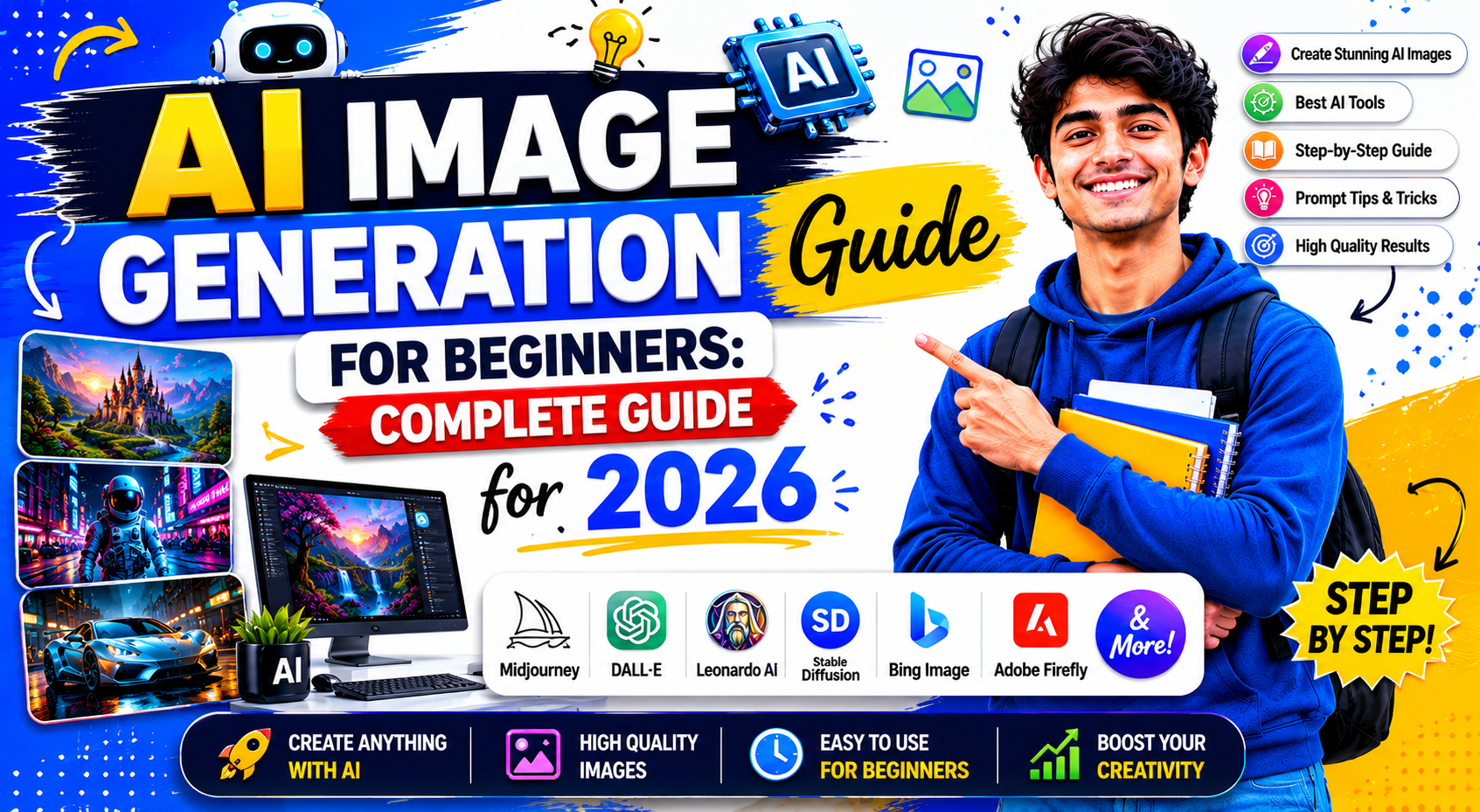
Artificial intelligence is changing the way people create digital content.
Just a few years ago, creating professional-quality artwork required advanced design skills and expensive software.
Today, anyone can create impressive images within seconds using AI image generation tools.
Whether you are a student, blogger, marketer, business owner, content creator, or designer, AI image generation can help you create unique visuals quickly and efficiently.
The best part is that you do not need professional design experience.
Most AI image generators are designed for beginners.
You simply describe what you want, and the AI creates an image based on your instructions.
In this complete beginner’s guide, you will learn what AI image generation is, how it works, which tools are best, how to write effective prompts, and how to create better AI-generated images.
What Is AI Image Generation?
AI image generation is the process of creating images using artificial intelligence.
Instead of drawing manually, users provide text instructions called prompts.
The AI analyzes the prompt and generates an image based on the description.
For example:
Prompt:
“A futuristic city at sunset with flying cars and neon lights.”
Within seconds, the AI can create a completely original image based on that description.
This technology is now used in:
- Digital art
- Marketing
- Blogging
- Social media
- Advertising
- Graphic design
- Education
- Content creation
How AI Image Generation Works
AI image generators are trained using millions of images and text descriptions.
During training, the AI learns relationships between words and visual elements.
When a user enters a prompt, the AI predicts what the image should look like and generates it accordingly.
The process happens in seconds.
Users only see the final result, but behind the scenes the AI performs complex calculations to create the image.
Why AI Image Generation Is Becoming Popular
The popularity of AI-generated images continues to grow rapidly.
There are several reasons for this growth.
Easy to Use
Most AI image tools require no design experience.
Fast Results
Images can be created within seconds.
Cost Effective
Many tools offer free plans.
Creative Freedom
Users can create images that would be difficult or impossible to produce manually.
Improved Productivity
Content creators can generate visuals much faster than traditional methods.
Benefits of AI Image Generation
AI image generation offers many advantages.
Let’s explore the most important benefits.
Saves Time
Creating artwork manually can take hours.
AI can generate images within seconds.
Reduces Costs
Businesses can create marketing visuals without hiring designers for every project.
Supports Creativity
AI can generate unique concepts and creative ideas.
Helps Non-Designers
People without graphic design skills can create professional-looking visuals.
Improves Content Quality
High-quality images often improve user engagement.
Popular Uses of AI Image Generation
AI-generated images are now used in many industries.
Blogging
Bloggers use AI images for:
- Featured images
- Illustrations
- Blog graphics
- Social media promotion
Social Media Marketing
Businesses use AI-generated visuals to create engaging social media posts.
YouTube Content Creation
Creators generate:
- Thumbnails
- Channel banners
- Promotional graphics
Advertising
Marketers create custom advertising visuals quickly.
Educational Content
Teachers and educators use AI-generated images to explain concepts visually.
Business Presentations
Professionals create custom graphics for presentations and reports.
Best AI Image Generation Tools in 2026
Many AI image generators are available today.
However, some stand out for beginners.
ChatGPT Image Generation
ChatGPT can generate images from detailed text descriptions.
Best For
- Beginners
- Bloggers
- Content creators
- Social media marketers
Advantages
- Easy to use
- Natural language prompts
- High-quality results
Midjourney
Midjourney is one of the most popular AI art tools.
It is known for creating artistic and visually impressive images.
Best For
- Digital artists
- Creative professionals
- Concept art
Advantages
- Excellent image quality
- Unique artistic style
- Strong creative capabilities
Stable Diffusion
Stable Diffusion is an open-source image generation model.
Many advanced users prefer it because of its flexibility.
Best For
- Developers
- Designers
- Advanced users
Advantages
- Customization options
- Open-source ecosystem
- Community support
Adobe Firefly
Adobe Firefly integrates AI image generation into Adobe’s creative ecosystem.
Best For
- Designers
- Marketing professionals
- Adobe users
Advantages
- Professional workflows
- Commercial-friendly features
- Easy integration
Canva AI
Canva AI allows users to create images and graphics quickly.
Best For
- Beginners
- Social media content
- Marketing graphics
Advantages
- User-friendly interface
- Fast image generation
- Design templates
Understanding AI Image Prompts
The prompt is the most important part of image generation.
A prompt tells the AI exactly what image to create.
The quality of your prompt often determines the quality of the result.
Example of a Basic Prompt
“A dog sitting in a park.”
This prompt works.
However, the result may be generic.
Example of a Better Prompt
“A golden retriever sitting in a green park during sunset, realistic photography style, cinematic lighting, high detail.”
This prompt provides much more information.
As a result, the AI can generate a more accurate image.
Elements of a Great AI Image Prompt
Most successful prompts include several important elements.
Subject
What should appear in the image?
Example:
“A tiger.”
Environment
Where is the subject located?
Example:
“A tiger in a rainforest.”
Style
How should the image look?
Example:
“Digital painting style.”
Lighting
Describe lighting conditions.
Example:
“Golden hour lighting.”
Camera Angle
If desired, describe perspective.
Example:
“Wide-angle shot.”
Quality Details
Add details that improve image quality.
Example:
“Highly detailed, realistic, ultra-HD.”
Basic Prompt Formula
A useful formula is:
Subject + Environment + Style + Lighting + Quality
Example:
“A futuristic robot walking through Tokyo streets at night, cyberpunk style, neon lighting, highly detailed, ultra-realistic.”
This structure often produces better results than simple prompts.
Common Types of AI-Generated Images
AI can generate many image styles.
Popular categories include:
- Realistic Photography
- Digital Art
- Anime Art
- Cartoon Style
- 3D Renderings
- Fantasy Art
- Science Fiction Art
- Product Mockups
- Business Graphics
- Concept Art
Each style requires slightly different prompt techniques.
Advanced Prompt Writing for AI Images
Learning prompt writing is one of the most important skills in AI image generation.
A powerful prompt can dramatically improve image quality.
The more details you provide, the better the AI understands your vision.
Basic Prompt Example
A cat sitting on a chair.
Advanced Prompt Example
A fluffy orange cat sitting on a wooden chair beside a large window, soft morning sunlight, realistic photography, ultra-detailed, professional camera quality, shallow depth of field.
The second prompt provides much more context and produces better results.
What Are Negative Prompts?
Negative prompts tell the AI what should NOT appear in the image.
This helps remove unwanted elements.
Example
Prompt:
A realistic portrait of a businessman.
Negative Prompt:
Blurry, low quality, distorted face, extra fingers, watermark, text.
Using negative prompts often improves image quality significantly.
Popular AI Art Styles Explained
Different prompts can produce different artistic styles.
Let’s look at some of the most popular styles.
Realistic Photography
Produces images that resemble real photographs.
Example Prompt:
A professional portrait of a businesswoman, realistic photography, natural lighting, ultra-HD.
Digital Art
Popular among designers and content creators.
Example Prompt:
A futuristic cityscape, digital art style, vibrant colors, highly detailed.
Anime Style
Inspired by Japanese animation.
Example Prompt:
Anime girl standing in a fantasy forest, colorful lighting, detailed background.
Cartoon Style
Great for educational and entertainment content.
Example Prompt:
A friendly cartoon robot teaching students in a classroom.
3D Render Style
Useful for product visualization and design concepts.
Example Prompt:
A luxury smartphone on a glass table, 3D render, studio lighting.
Fantasy Art
Perfect for storytelling and creative projects.
Example Prompt:
A dragon flying above a magical kingdom at sunset.
Realistic Images vs Artistic Images
Many beginners wonder which style they should use.
The answer depends on the purpose.
| Realistic Images | Artistic Images |
|---|---|
| Look like real photos | Creative and imaginative |
| Great for business use | Great for entertainment |
| Useful for marketing | Useful for storytelling |
| Professional appearance | Unique visual style |
Both styles have advantages.
Choose the style that matches your goal.
Common AI Image Generation Mistakes
Many beginners make mistakes that reduce image quality.
Let’s examine the most common issues.
Using Very Short Prompts
Short prompts provide limited information.
Example:
Bad Prompt:
A dog.
Better Prompt:
A golden retriever running through a green field during sunset, realistic photography, ultra-detailed.
Ignoring Lighting
Lighting has a huge impact on image quality.
Examples:
- Soft lighting
- Golden hour lighting
- Cinematic lighting
- Studio lighting
- Neon lighting
Adding lighting details often improves results.
Not Defining Style
Always specify the style you want.
Examples:
- Realistic photography
- Digital art
- Anime style
- Cartoon illustration
- Oil painting
Forgetting Quality Instructions
Include quality-related keywords.
Examples:
- High detail
- Ultra-HD
- Professional quality
- Sharp focus
- Realistic textures
How to Create Better AI Thumbnails
AI-generated thumbnails are becoming increasingly popular.
YouTube creators use them to improve click-through rates.
Keep the Subject Clear
Avoid overcrowded images.
Focus on one main subject.
Use Strong Contrast
High contrast helps thumbnails stand out.
Add Emotional Expressions
Faces with strong emotions often attract more attention.
Leave Space for Text
If you plan to add text later, include empty space in the design.
Example Thumbnail Prompt
A surprised young man looking at a futuristic AI robot, bright colors, YouTube thumbnail style, dramatic lighting, high contrast, ultra-HD.
Using AI Images for Blogging
Bloggers can use AI-generated images in many ways.
Examples include:
- Featured images
- Article illustrations
- Infographics
- Social media graphics
Unique visuals often improve user engagement.
Using AI Images for YouTube
YouTube creators frequently use AI-generated images for:
- Thumbnails
- Channel banners
- Community posts
- Video illustrations
These visuals help strengthen branding.
Using AI Images for Business Marketing
Businesses use AI-generated images for:
- Advertisements
- Product promotions
- Website graphics
- Social media campaigns
- Presentation materials
AI can reduce design costs while improving productivity.
AI Image Copyright and Ownership
One of the most common questions involves copyright.
Rules vary depending on the platform you use.
Before using AI-generated images commercially, review the licensing terms of the specific tool.
Always check:
- Commercial usage rights
- Attribution requirements
- Platform policies
- Copyright guidelines
Understanding these terms helps avoid future issues.
How to Make Money with AI Images
Many creators use AI-generated images as part of their income strategy.
Freelance Design Services
Offer:
- Social media graphics
- Marketing visuals
- Thumbnail creation
- Business graphics
Content Creation
Use AI images for:
- Blogs
- Websites
- Educational content
Print-on-Demand Products
Create unique artwork for:
- T-shirts
- Posters
- Stickers
- Merchandise
Digital Products
Sell:
- Templates
- Design assets
- Printable artwork
Marketing Services
Businesses often need custom visuals for advertising and social media.
Best Practices for AI Image Generation
Follow these guidelines consistently.
Be Specific
Provide detailed instructions.
Define Style
Clearly mention artistic direction.
Include Lighting
Lighting significantly impacts quality.
Experiment
Try multiple prompt variations.
Refine Results
Adjust prompts based on output quality.
Learn from Examples
Study successful prompts and adapt them.
Pros and Cons of AI Image Generation
Pros
- Fast image creation
- Beginner-friendly
- Cost-effective
- Supports creativity
- Saves time
- Improves productivity
Cons
- Results may require multiple attempts
- Some tools have usage limits
- Licensing rules vary
- Prompt writing requires practice
- Quality can vary between tools
Future of AI Image Generation
AI image generation technology continues to evolve rapidly.
Future improvements may include:
- Higher image quality
- Faster generation speeds
- Better prompt understanding
- Improved realism
- Advanced editing capabilities
- Stronger creative control
The future of visual content creation will likely be heavily influenced by AI.
Frequently Asked Questions (FAQs)
What is AI image generation?
AI image generation is the process of creating images using artificial intelligence based on text prompts.
Do I need design skills to use AI image generators?
No.
Most AI image tools are designed for beginners.
Which AI image generator is best for beginners?
ChatGPT Image Generation and Canva AI are among the easiest options for beginners.
What is an AI image prompt?
A prompt is the text description used to instruct the AI on what image to create.
Why are my AI-generated images not accurate?
The prompt may be too vague.
More detailed prompts usually produce better results.
What are negative prompts?
Negative prompts tell AI which elements should not appear in the image.
Can AI generate realistic photos?
Yes.
Modern AI tools can create highly realistic images.
Can I use AI-generated images for commercial projects?
It depends on the licensing terms of the platform being used.
Always review platform policies.
Are AI-generated images free?
Many tools offer free plans, while advanced features may require payment.
Can AI-generated images help bloggers?
Yes.
They can be used for featured images, illustrations, and promotional graphics.
Best Free AI Tools for Students in 2026
ChatGPT vs Gemini vs Claude: Complete Comparison
AI Tools for Small Business Owners
AI Tools for YouTube Creators
How to Use AI for Blogging: A Beginner’s Guide
AI Tools for Small Business Owners
AI Tools for YouTube Creators: Complete Guide
How to Write Better Prompts for AI: Complete Guide for Beginners in 2026
About The Author